
The Free Press
Runaway Media IncNews & Magazines
4.8124.00 Reviews
- Version
- 1.1.1
- Installs
- 10.00K
- Age Rating
- Everyone 10+
Screenshots

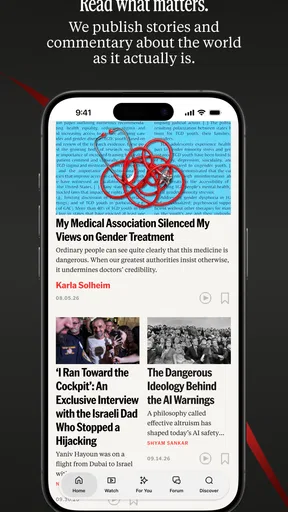
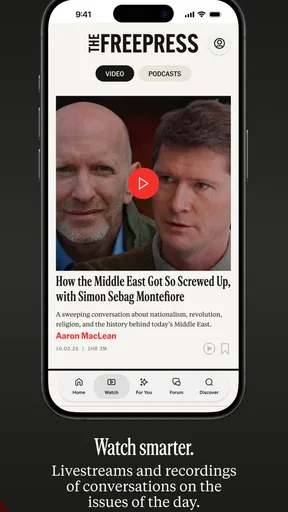
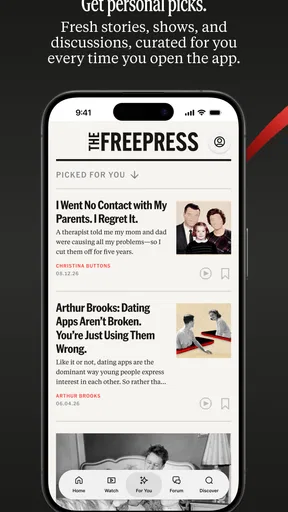
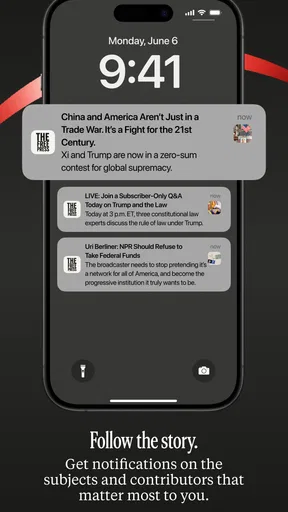
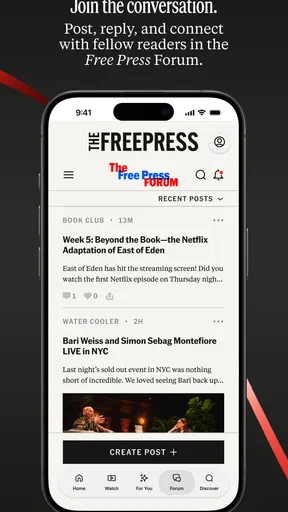
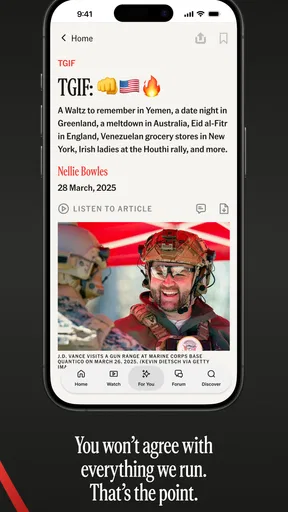
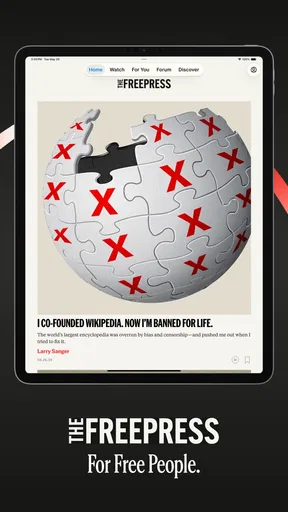
Our Review of The Free Press
 Analysis by Appyee
When a news app is used on a shared phone or tablet, the real question is not only whether its articles are interesting. I also want to know whether different people in the household can use it without confusing one another, whether the tone suits the intended reader, and whether opening it feels worthwhile during a busy day. After spending time with The Free Press, I see it as a focused news and sensemaking app from Runaway Media Inc, aimed at readers who want more than a quick stream of disconnected headlines.
That focus is important in a household setting. One person may open it over breakfast, another may check it during a commute, and a teenager may use the same device to understand a major story. The app is free, carries an Everyone 10+ content rating, and presents itself as The Free Press rather than as a general-purpose entertainment feed. Those details make it approachable, but they do not remove the need for sensible boundaries when several people share one screen.
How The Free Press fits into a shared household routine
When several people share a phone or tablet, I find it helps to agree on a simple handoff: finish reading, close the app, and leave the next person free to begin with a fresh look. That small habit keeps one reader’s open story from becoming everyone else’s starting point. It also makes room for different routines—one person can read quietly, while another later brings a question to the table.
A practical shared-device scenario
Imagine a family tablet sitting in the kitchen. I would use the app in the morning to get oriented, then leave it available for someone else later in the day. That is a different experience from handing over a personal phone with a private reading history. On a shared device, each reader should treat the app as a common news window, not as a personal diary of opinions or interests.
The strongest household use case is coordinated reading. A parent might look at a developing story before work, then mention the topic at dinner. Another family member can open the same app and explore it independently instead of relying on a clipped headline from a social network. In my view, that is where the “sensemaking” idea becomes useful: the app can serve as a starting point for conversation rather than simply filling spare minutes.
There is also a quieter benefit. A shared news app can reduce the habit of passing around screenshots with no context. If someone wants another household member to read something, it is better to point them toward the relevant item inside the app and discuss what it means. That workflow encourages a little more patience, especially when a headline is emotionally charged.
Still, shared use has an obvious trade-off. The app does not become a separate experience for every person merely because several people open it. Readers may encounter the same general presentation, and one person’s browsing choices can affect what the next person notices if the device is left open. I would therefore close the app after reading and avoid assuming that another user will see exactly the same thing I did.
Setting boundaries before everyone starts reading
Before placing The Free Press on a family tablet, I would agree on a simple routine: who uses the device, when it is available, and how stories are discussed. That may sound basic, but it matters more with news than with a casual game. A shared news screen can bring politics, conflict, public emergencies, and upsetting events into the same room as younger readers.
The Everyone 10+ rating gives a useful age context, but I would not treat it as a substitute for parental judgement. A ten-year-old and a sixteen-year-old can both fall within that broad label while needing very different explanations. If a child is likely to browse alone, I would first look through the app with them and explain that headlines can simplify complicated events.
Another boundary I find useful is separating reading time from argument time. A household can agree that people may explore the app freely, while conversations about controversial stories happen with room for questions. That prevents the app from becoming a source of instant household conflict. The goal is not to shield everyone from news; it is to make sure the device does not turn every headline into a confrontation.
On a personal device, I would use the app more casually. On a shared device, I would be more deliberate about where it is left open, who may be nearby, and whether a story is suitable for a quick family discussion. This is not a criticism of the application itself. It is simply the difference between private reading and a common screen in a busy home.
Coordinating what the household has read
The Free Press works best in a household when it becomes part of a small information routine. For example, one person can choose a few subjects to follow during the morning, then bring one question to the evening conversation. The useful question is not “Do you agree with this?” but “What part of this story do we understand, and what part needs more context?” That approach keeps the app from being reduced to a pile of opinions.
I also recommend saying the topic aloud rather than only referring to “that article.” On a shared device, another person may not know which item was open, and news apps can contain several stories that look similar at a glance. A short description makes coordination easier: explain the event, the people involved, or the question raised by the piece.
A less obvious advantage of this workflow is that it exposes gaps in understanding. If I cannot explain why a story matters without repeating its headline, I probably have not processed it properly. The app can therefore be used as a prompt for better conversations, but the household still has to do the thinking. No news application can replace checking context, comparing viewpoints, or admitting when a conclusion is premature.
For couples or housemates, the app may be a convenient shared reference point, especially when both people want to discuss current events without scrolling through unrelated social posts. For a family with very different interests, it may be less effective as a single common source. In that case, I would use it as one reading option rather than expecting every person to adopt the same news habits.
Age, trust, and the limits of a rating
The age label makes The Free Press easier to place in a family’s digital routine, but trust should come from active guidance, not from the label alone. I would show a younger reader how to pause before accepting a dramatic claim, distinguish reporting from commentary, and ask what information is missing. Those habits are more valuable than simply deciding whether an app is “safe.”
The app’s news-and-sensemaking identity also means that readers should expect material that asks for attention. Someone looking only for light headlines may find the experience heavier than a general entertainment feed. That is not necessarily a weakness, but it affects where I would place it on a shared device. I would not make it the default app for a child who wants a quick distraction, and I would not expect it to replace a dedicated school resource.
Trust also has a household dimension. If one person treats every article as unquestionable while another wants to challenge each claim, the disagreement is not solved by installing a different news app. The Free Press can support a more thoughtful starting point, but the family still needs a shared standard for checking important information. For major decisions, I would compare the app’s coverage with other reputable sources rather than relying on one publication.
That is especially relevant for older children who are becoming independent readers. I would let them explore, but I would remain available for questions about unfamiliar terms, disturbing events, or strongly worded commentary. The Everyone 10+ classification is a helpful signpost, not a promise that every story will feel comfortable for every reader in that age group.
What the app offers compared with usual alternatives
Compared with a social media feed, The Free Press feels like a more intentional place to begin. Social platforms are good at showing what is attracting attention, but they often mix reporting, reaction, promotion, and personal posts in one fast-moving stream. A dedicated news app gives me a better chance to approach a subject as a subject, rather than as a sequence of arguments competing for attention.
Compared with a broad news aggregator, its appeal is its editorial identity. Aggregators are useful when I want many outlets, local updates, or a quick comparison of headlines. The Free Press is more suitable when I want a particular publication’s way of framing and explaining the news. That is also its main limitation: readers who value maximum breadth may prefer an aggregator or a bundle of individual news sources.
Compared with a newspaper website in a browser, the app is more convenient for a repeat routine. I can open a dedicated space instead of searching for the publication each time. The trade-off is that a browser makes it easier to move immediately between different sources. If I am researching a complex issue, I would probably use The Free Press for orientation and then continue elsewhere for comparison.
Compared with television news, the app gives me more control over when I read and how long I stay. That suits a household where everyone has a different schedule. Television can be better for people who prefer a guided presentation or live updates, while this app is better for readers who want to choose their moment and return to a topic at their own pace.
Small details that matter in everyday use
One practical tip is to use the app at a defined time instead of opening it whenever a notification or conversation creates anxiety. News consumption can easily become reactive. A short morning session followed by a later check is more manageable than repeatedly refreshing a shared device throughout the day. This is a habit choice rather than a special feature, but it changes how useful the app feels.
A second tip is to treat the first reading as orientation, not the final word. When a story affects school, work, travel, or family plans, I would note the central claim and then look for confirmation from another reliable source. This is where the app’s sensemaking angle helps: it encourages me to understand the issue before I decide what action to take, but it should not be the only step in high-stakes situations.
A third insight concerns shared attention. If two people read the same story together, do not rush to debate the conclusion. First ask each person to summarize the main point in their own words. That quickly reveals whether the disagreement is about facts, interpretation, or values. The Free Press can be especially useful for this exercise because it gives the household a common article to discuss instead of separate social posts.
There is also a useful trade-off around convenience. The free price removes a financial barrier for a household that wants to try it, and the app’s current version is 1.1.1. I would still keep expectations realistic: a free news app is not automatically the complete answer for local reporting, specialist coverage, or every family member’s preferred viewpoint. Its value depends on whether its editorial approach matches what the household wants from a regular news source.
Who should use it and who should skip it
I would recommend The Free Press to adults who want a dedicated place for news and explanation, especially if they are tired of social feeds that reward outrage and distraction. It also suits households that enjoy discussing current events and can agree on respectful boundaries for shared reading. A free app is easy to introduce without asking every family member to make a purchase.
I would be more cautious about recommending it as the only source for a family. Readers who need local alerts, specialist reporting, extensive international comparison, or a highly personalized experience may be better served by combining it with other apps. Likewise, someone who wants only brief, neutral headlines may prefer a straightforward aggregator, while someone who wants live video may find a television or streaming news service more fitting.
People who avoid difficult subjects altogether may also find the category itself unsuitable. The Everyone 10+ rating does not mean the app is designed as children’s entertainment. I would skip installing it on a shared child-focused tablet unless an adult is comfortable reviewing the reading routine and answering questions that news can raise.
For a household with separate phones, the decision is simpler: each person can choose whether the app’s editorial voice fits them. For one shared tablet, the decision should be collective. The app is most successful when the household sees it as a common starting point, not as an authority that ends every discussion.
My household verdict
My overall impression is positive. The Free Press is a focused News & Magazines app that makes sense for readers who want a more considered relationship with current events than they get from an endless social stream. Its free access, Everyone 10+ rating, and clear identity make it easy to test in a home, while its usefulness depends on how thoughtfully the household handles shared reading.
The app has earned a 4.8 average from around 1.1 thousand ratings, with over 10 thousand installs, which suggests that early users have responded well to its approach. I would not use those figures as a reason to install it by themselves, but they do make the app feel established enough to deserve a fair trial. Runaway Media Inc has kept the experience centered on news and sensemaking rather than turning it into a general-purpose content shelf.
My final recommendation is to install it when you want a common news reference for adults or older children, then establish expectations before leaving it on a shared device. Read with curiosity, explain unfamiliar stories, and compare important claims elsewhere. The best reason to choose The Free Press is not simply faster access to headlines; it is the chance to turn news reading into a more deliberate household habit.
Verdict
Strengths of The Free Press
- Independent journalism often challenges mainstream narratives.
- Clean, text-focused design makes articles easy to read.
- Covers politics, culture, and international affairs in one app.
- Useful for readers seeking conservative-leaning viewpoints.
- Articles can be shared quickly through standard mobile options.
Limitations of The Free Press
- Its editorial perspective may feel strongly partisan to some readers.
- Some content may require a paid subscription or membership.
- Coverage can prioritize opinion pieces over neutral reporting.
- The app may send frequent notifications unless settings are adjusted.
- Limited viewpoints can make it less suitable as a sole news source.
Similar Picks in This Category
View All
Google News - Daily Headlines
Google LLC4.0

X
X Corp.4.8

Flipboard:Your Social Magazine
Flipboard3.4

Opera News: breaking & local
Opera4.5

Hindi News by Dainik Bhaskar
Dainik Bhaskar Group4.0

Way2News Daily News App
Way2News ( Formerly Way2SMS )4.6
Frequently Asked Questions
What is The Free Press app?
The Free Press is a news and commentary platform focused on independent journalism, current affairs, culture, politics, and opinion. The app is designed to give readers access to articles, interviews, newsletters, and other editorial content in one place. Its coverage often emphasizes perspectives that may receive less attention in traditional media, so it can be useful for readers who want additional viewpoints and analysis.
Is The Free Press app free to download and use?
The Free Press can generally be downloaded without paying an installation fee, but access to all of its content may depend on the membership or subscription options available in the app. Some articles or features may be accessible for free, while premium journalism, newsletters, or exclusive material could require registration or payment. Check the current pricing and terms before subscribing.
What type of content can I read on The Free Press?
The app typically includes news reports, investigative journalism, opinion pieces, interviews, essays, cultural coverage, and commentary on major social and political topics. The editorial style is intended for readers interested in independent reporting and debate. Because the platform includes analysis and opinion as well as news, it is advisable to distinguish clearly between factual reporting, interpretation, and personal viewpoints.
Does The Free Press require an account or subscription?
You may be able to browse or read some content without creating an account, but an account is often needed to access personalized features, newsletters, saved articles, or subscriber-only material. A paid subscription may also unlock the complete library and exclusive publications. Before downloading, review the sign-up process, subscription conditions, renewal policy, and cancellation instructions available through the app.
Is The Free Press available on both Android and iOS?
The Free Press may be available through official mobile app stores for supported Android and iOS devices, although availability can vary by country, operating-system version, and store listing. For safety, download it only from Google Play or the Apple App Store and verify the developer name. Avoid unofficial APK files or third-party downloads, particularly when the app handles account or payment information.
